FAQ
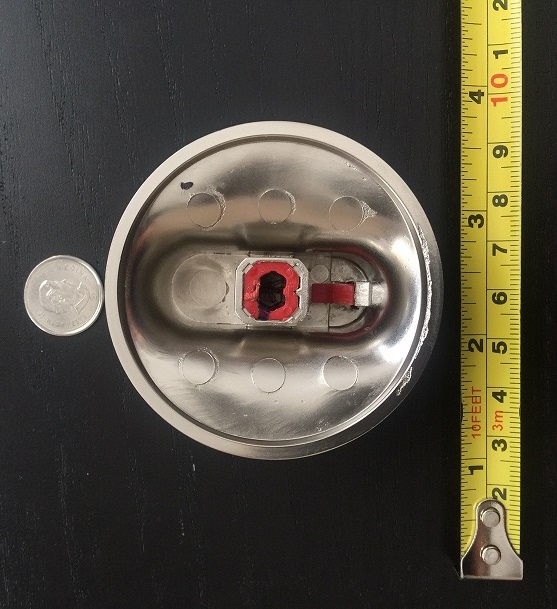
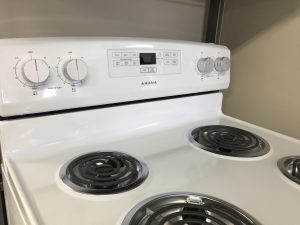
Q: Will Smarturns work with my stove?
A: Smarturns is compatible with most major stove brands, models, and stove types that use manual control knobs.
Before ordering, we recommend completing the Smarturns Compatibility Check to confirm that your stove setup is supported.
Q: Can Smarturns be used with a gas stove?
A: Yes. Smarturns can be used with gas and electric stoves that use compatible manual control knobs.
Before ordering, we recommend completing the Smarturns Compatibility Check to confirm that your stove setup is supported.
Q: Can I use the Smarturns app to turn my stove on or off?
A: The Smarturns app is not designed to control your stove and cannot turn your stove burners on or off.
The Smarturns app is used for remote monitoring and alerts. It can notify you when a stove burner is on, when a stove burner is turned off, or when a stove burner has been left on and unattended.
For a detailed overview of the Smarturns app, please watch the instructional video here: https://youtu.be/DTIfwsQ_ZHg
Q: Can Smarturns be used without changing my existing stove?
A: Yes. Smarturns is designed to work with your existing stove, as long as it uses compatible manual control knobs.
Before ordering, we recommend completing the Smarturns Compatibility Check to confirm that your stove setup is supported.
Q: Will Smarturns change the way I use my stove?
A: Smarturns does not change the way you use your stove. You simply cook as you normally would.
Smarturns helps protect you and your home from the risk of stove fires by providing alerts when a stove burner has been left on and unattended.
Q: How do I install Smarturns?
A: Smarturns is designed for easy installation without professional assistance. An installation guide is included in the package.
You can also watch our installation video here: https://vimeo.com/263654647
Q: Does the angle of my stove knobs matter? Do the knobs need to be mounted vertically?
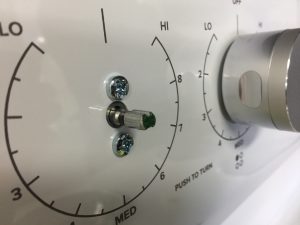
A: Smarturns can be used with horizontal stove knobs that are parallel to the floor and vertical stove knobs that are parallel to the wall.
For vertical knobs, Smarturns can be installed on stove control panels with up to a 30° incline from vertical.
Before ordering, we recommend completing the Smarturns Compatibility Check to confirm that your stove setup is supported.
Q: Does Smarturns automatically shut off my stove?
A: No. Smarturns does not automatically shut off your stove or stove burners. The stove burner must still be turned off manually.
Smarturns provides alerts when a stove burner is on, turned off, or left on and unattended.
Q: What types of alerts does Smarturns provide?
A: Smarturns provides a local audible alarm through the Smarturns Hub when a stove burner is left on and unattended.
When connected to the internet, Smarturns can also provide app alerts and SMS notifications. Depending on the app settings, these can include alerts when a stove burner is turned on, turned off, or left on and unattended.
Q: Does Smarturns use a camera or facial recognition to detect motion?
A: Smarturns uses a motion sensor. It does not use a camera or facial recognition.
If a stove burner is left on and no motion is detected for the configured period, Smarturns will trigger an unattended stove alert.
The motion sensor must be installed and paired with the Smarturns Hub for unattended stove alerts to function properly.
Q: Do I need internet access or a mobile phone to use Smarturns?
A: Smarturns does not require internet access or a mobile phone to provide local stove safety alerts.
Without internet access or a mobile phone, the Smarturns Hub will still provide a local audible alarm when a stove burner is left on and unattended.
To change the default timer or monitor stove activity remotely, you will need the Smarturns app and an internet connection. If you do not have internet access or a mobile phone, please contact Tochtech technical support at [email protected] for assistance.
Q: What happens if my internet connection is lost?
A: If your internet connection is lost, the Smarturns knobs and local Hub alarm will still work.
App alerts and SMS notifications will resume once the internet connection is restored.
Q: Where can I get help using the Smarturns app?
A: If you need help using the Smarturns app, go to Settings > Help & Feedback in the app.
If you need further assistance, please contact our support team at [email protected].
Q: Can I monitor more than one Smarturns system from the same app?
A: Yes. You can monitor more than one Smarturns system from the Smarturns app, such as one system in your home and another system in a senior parent’s home.
If each Smarturns system and your mobile phone are connected to the internet, you can check stove burner status, receive notifications, and manage multiple locations from the same app.
Q: Can I see a history of stove burner activity?
A: Yes. Through the Smarturns app, you can view stove burner activity history to better understand when and how the stove is being used.
This can provide helpful insight into a senior’s daily routine, including whether they are continuing to prepare meals.
Q: Can more than one person receive Smarturns alerts and notifications?
A: Yes. Multiple family members or caregivers can receive Smarturns alerts from the same stove.
The account owner can invite other people through the Smarturns app. Once invited, each person can receive alerts on their own mobile device.
Q: Is Smarturns a good option for caregivers who are worried about senior cooking safety?
A: Yes. Smarturns can help caregivers stay informed when a senior is using the stove or when a stove burner has been left on and unattended.
Caregivers can receive app alerts and SMS notifications, monitor stove burner status remotely, and support senior cooking safety from outside the home.
Q: Is Smarturns easy to use for someone who is not comfortable with technology?
A: Yes. Smarturns is designed to be simple and easy to use, even for individuals who are not comfortable with technology.
The stove user does not need to use the Smarturns app to benefit from the core safety features. The Smarturns Hub can provide a local audible safety alarm when a stove burner is left on and unattended, even without internet access or a mobile phone.
Q: Can one Smarturns Hub be used with more than one stove?
A: Each Smarturns Hub can be paired with one motion sensor and up to 10 Smarturns knobs.
The motion sensor provides a 120° coverage area and can detect motion up to 10 m away. Smarturns knobs must be located within 5 m of the Hub.
If more than one stove is within the motion sensor’s coverage area, the same Smarturns system can monitor up to 10 knobs, as long as all knobs are within 5 m of the Hub. In this setup, Smarturns can identifyindividual knobs, but it cannot differentiate between separate stoves.
Q: Can I add more Smarturns knobs to my system?
A: Yes. Each Smarturns system can support up to 10 Smarturns knobs. Additional Smarturns knobs can be purchased through our website.
Q: How long do the batteries last in the Smarturns knobs and motion sensor?
A: Each Smarturns knob uses a CR2032 coin battery, which can last for about 4 years under common usage. When a knob battery becomes low, the Smarturns app will display a “Check Status” message for that specific knob.
The motion sensor uses two AAA batteries. We recommend replacing the motion sensor batteries every 6 months. When the motion sensor batteries become low, Smarturns will send a low-battery notification.
You can watch the Smarturns knob battery replacement video here: https://vimeo.com/250154380
Q: What warranty is included with Smarturns?
A: Smarturns comes with a 1-year warranty that covers manufacturing defects and electronic parts.
Extended warranty coverage is not available for purchase.
After the warranty expires, replacement Smarturns knobs can be purchased through our website. For other replacement parts, please contact customer support at [email protected].
Q: How much does shipping cost?
A: Shipping costs are calculated automatically at checkout based on your delivery address.
To see the estimated shipping cost, add Smarturns to your cart and enter your shipping destination. You do not need to enter your credit card information to view the shipping cost.
Q: Are duties, taxes, tariffs, or customs fees included in the shipping cost?
A: No. Shipping charges do not include applicable duties, taxes, tariffs, brokerage fees or other customs-related charges. These costs vary by destination and are the customer’s responsibility. They may be collected separately by the carrier or local customs authority upon delivery.
Q: What if I have a question that is not answered here?
A: If your question is about whether Smarturns will work with your stove, please complete the Smarturns Compatibility Check first.
You can also use the AI assistant on our website for answers to common Smarturns questions.
For any other questions that are not answered in this FAQ, please contact us at [email protected]. We’ll be happy to help.